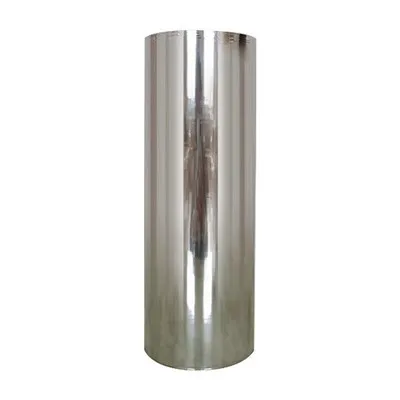
Hey there, fellow laminating enthusiasts! I'm a supplier of Silver Thermal Laminating Film, and I know that sometimes, things don't go as smoothly as we'd like when using this awesome product. But don't worry; I'm here to help you troubleshoot those pesky problems and get you back on track to achieving perfect laminations every time.
1. Bubbles in the Lamination
One of the most common issues you might face when using silver thermal laminating film is the appearance of bubbles. These can really ruin the look of your laminated item. So, what causes them, and how can you fix it?
Possible Causes
- Dust and Debris: Even the tiniest speck of dust on your document or the film can create a bubble. The film adheres around the dust particle, leaving a gap that looks like a bubble.
- Improper Temperature: If the laminator's temperature is too low, the film might not fully adhere, causing air pockets to form. On the other hand, if it's too high, the film can wrinkle and trap air.
- Fast Feeding: Feeding the document through the laminator too quickly can also lead to bubbles. The film needs time to properly adhere to the paper.
Solutions
- Clean the Surface: Before laminating, make sure your document is clean and free of dust. You can use a microfiber cloth to gently wipe the surface.
- Adjust the Temperature: Check your laminator's manual to find the recommended temperature for the silver thermal laminating film. Make sure to let the laminator heat up completely before use.
- Slow Down: Feed the document through the laminator at a steady, slow pace. This gives the film enough time to bond with the paper properly.
2. Uneven Lamination
Another problem you might encounter is uneven lamination. This could mean that some parts of the document are not fully laminated, or the film seems to be thicker in some areas than others.
Possible Causes
- Laminator Rollers: If the rollers in your laminator are dirty or misaligned, it can cause uneven pressure on the film, resulting in uneven lamination.
- Film Quality: Sometimes, the issue might be with the film itself. A damaged or low - quality film can cause uneven results.
- Document Placement: Placing the document at an angle or not centered in the laminator can also lead to uneven lamination.
Solutions
- Clean the Rollers: Refer to your laminator's manual on how to clean the rollers properly. You can use a soft, damp cloth to remove any debris or residue.
- Check the Film: Inspect the silver thermal laminating film for any signs of damage, such as tears or creases. If it's damaged, use a new piece.
- Center the Document: Make sure your document is centered and straight before feeding it into the laminator. You can use the guides on the laminator to help you with this.
3. Film Not Adhering
It can be really frustrating when the silver thermal laminating film just won't stick to your document. But there are a few things that could be causing this problem.


Possible Causes
- Wrong Film Type: You might be using the wrong type of film for your laminator or document. Some films are designed for specific types of paper or laminating machines.
- Low Temperature: As mentioned earlier, if the laminator's temperature is too low, the film won't adhere properly.
- Document Surface: Certain types of paper, such as glossy or coated paper, can be more difficult to laminate. The surface of the paper might not allow the film to bond effectively.
Solutions
- Choose the Right Film: Make sure you're using the correct silver thermal laminating film for your laminator and the type of document you're laminating.
- Increase the Temperature: Gradually increase the temperature of your laminator, but be careful not to go too high. Check the film's specifications for the recommended temperature range.
- Test on a Small Area: If you're laminating a glossy or coated paper, test a small area first to see if the film adheres. You might need to use a special type of film or adjust the laminating process.
4. Wrinkles in the Film
Wrinkles in the silver thermal laminating film can make your laminated item look unprofessional. Let's take a look at what might be causing them and how to solve the problem.
Possible Causes
- Fast Feeding: Just like with bubbles, feeding the document through the laminator too quickly can cause the film to wrinkle.
- Uneven Tension: If the film is not fed into the laminator evenly, it can cause wrinkles. This could be due to the film being misaligned or the laminator's tension settings being off.
- High Temperature: Excessive heat can make the film shrink and wrinkle.
Solutions
- Slow Down: Feed the document through the laminator at a slow, steady pace. This allows the film to smooth out as it adheres to the paper.
- Adjust the Tension: Check your laminator's manual to see if there are any tension adjustment settings. Make sure the film is being fed evenly through the laminator.
- Lower the Temperature: If you suspect that the high temperature is causing the wrinkles, reduce the temperature of the laminator.
5. Color Changes or Discoloration
Sometimes, you might notice that the silver color of the thermal laminating film changes or becomes discolored after lamination. This can be a bit of a head - scratcher, but we'll figure it out.
Possible Causes
- Overheating: Exposing the film to too much heat for too long can cause the silver color to change. This could be due to a malfunctioning laminator or incorrect temperature settings.
- Chemical Reaction: If the document has any chemicals on it, such as ink or adhesives, they could react with the film and cause discoloration.
- Film Exposure: If the film has been exposed to light, heat, or humidity for an extended period before use, it might start to degrade and change color.
Solutions
- Check the Temperature: Make sure your laminator is set to the correct temperature for the silver thermal laminating film. If you suspect overheating, let the laminator cool down and then adjust the temperature settings.
- Test the Document: If you're unsure about the chemicals on your document, test a small area first to see if there are any color changes.
- Store the Film Properly: Keep the film in a cool, dry place away from direct sunlight. This will help prevent premature degradation.
Other Considerations
If you've tried all the above solutions and you're still having problems, it might be worth considering upgrading your laminator. A high - quality laminator can make a big difference in the results you achieve with your Silver Thermal Laminating Film.
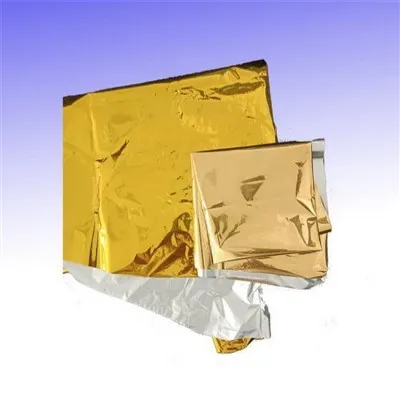
Also, don't forget to check out our Gold Lamination Film if you're looking for a different look for your laminations. It's just as high - quality as our silver film and offers a unique, luxurious touch.
Conclusion
Using silver thermal laminating film can be a great way to protect and enhance your documents, but it's not without its challenges. By understanding the common problems and their solutions, you can troubleshoot issues quickly and achieve beautiful, professional - looking laminations every time.
If you're in the market for high - quality silver thermal laminating film, or you have any questions about troubleshooting or our products, don't hesitate to reach out. We're here to help you with all your laminating needs and look forward to the opportunity to work with you.
References
- Laminator manufacturer's manuals
- Product specifications for silver thermal laminating film